Terrain
The Terrain component allows you to create terrains for your adventures effortlessly. To begin working with terrain in your game, simply right-click in the Project component and select “New Terrain.” Once created, you can integrate it into your scene through a simple drag-and-drop operation. This straightforward process gets you started with terrain generation immediately.
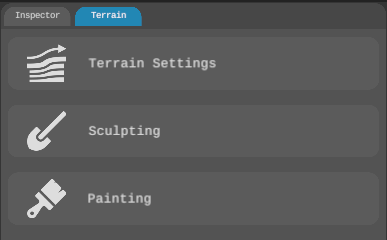
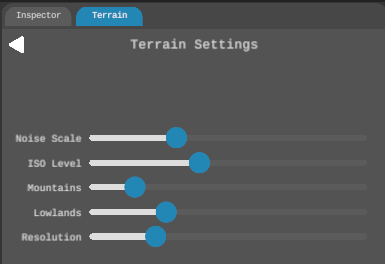
Your terrain utilizes a dynamic procedural generation system which means the terrain will be generated as you move along in your scene. If you prefer different looking terrains you can modify terrain generation settings in Terrain Settings. These values will enable you to fine tune the look and feeling of your terrain.
The terrain system puts powerful customization tools at your fingertips. Shape your world using intuitive sculpting tools – carve majestic mountains, craft winding valleys, or delicately adjust surface features to match your vision. Every brushstroke is automatically saved, letting you focus on creativity without worrying about losing your work.
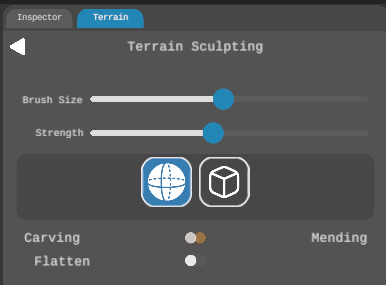
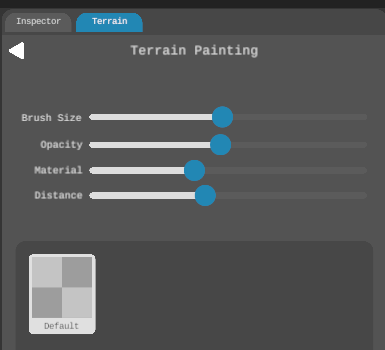
The Sculpting mode offers two brushes: spherical and cubic which are perfect for everything from gentle rolling hills to sharp cliff faces. Switch to Painting mode to bring your world to life with diverse textures and colors that define your game’s climate and atmosphere. Simply drag and drop textures into the box in Painting and start coloring your terrain.