Particle
The Particle window streamlines the process of creating dynamic visual effects for your game. Starting with a template provides you with a foundation of pre-configured settings, allowing you to quickly iterate and customize your effects. These templates serve as practical starting points for common effects like fire, smoke, explosions, or magical abilities.
Once you’ve created your particle system, a wide selection of properties awaits your fine-tuning. The duration setting controls how long your effect plays, while looping determines whether it repeats continuously or plays once and stops. Emission settings govern the rate and pattern of particle generation, fundamentally shaping how your effect builds and maintains itself.
Main
This component includes system-wide settings that influence all aspects of particle behavior. These settings primarily determine the starting conditions for particles when they first spawn.
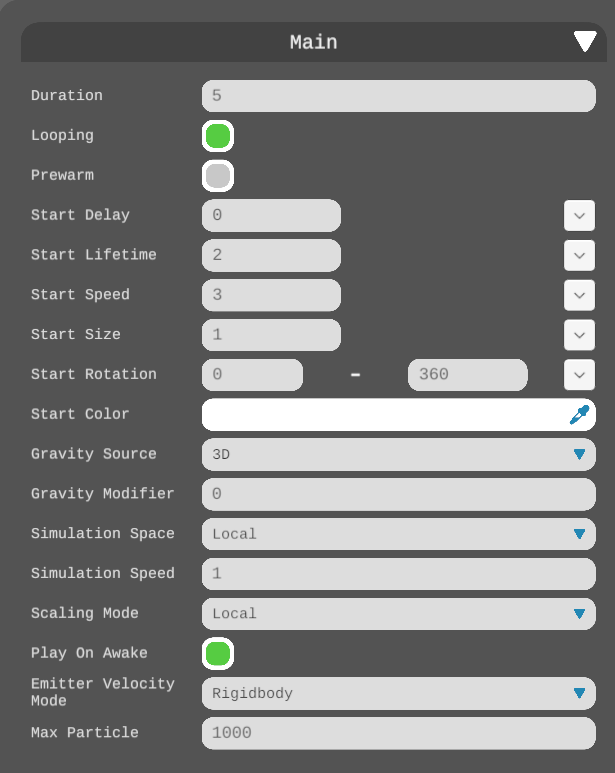
| Duration: | The duration for which the particle system remains active |
| Looping: | If enabled, the system will automatically restart after completing its duration, creating an endless loop of particle emissions |
| Prewarm: | If enabled, the system begins as if it had already run through one complete cycle, simulating a mid-loop state |
| Start Delay: | Delay in seconds before the first particles start appearing |
| Start Lifetime: | The initial lifetime for particles |
| Start Speed: | The initial speed of each particle |
| Start Size: | The initial size of each particle |
| Start Rotation: | The initial rotation angle of each particle |
| Start Color: | The initial color of each particle |
| Gravity Source: | Source of gravity for each particle |
| Gravity Modifier: | Multiplier for the global gravity |
| Simulation Space: | The setting that determines if particles move according to the parent object’s coordinate system (following its movements), exist independently in world coordinates, or track the motion of a specified custom object |
| Simulation Speed: | Multiplier for the operation speed |
| Scaling Mode: | Determines how scaling is applied from the transform component. You can select between Hierarchy, Local, or Shape modes. Local mode only considers the Particle System’s own transform scale, disregarding parent object scaling. Shape mode affects particle starting positions while leaving their dimensions unchanged. |
| Play on Awake: | If enabled, the particle system starts automatically |
| Emitter Velocity Mode: | The system offers different methods for computing particle velocity, which affects both Inherit Velocity and Emission features. It can derive velocity from either an attached Rigidbody component or by monitoring Transform position changes. When no Rigidbody is present, the system automatically defaults to using Transform-based calculations. |
| Max Particle: | The maximum number of particles allowed in the system. If the limit is reached, existing particles will be removed when new particles are created |
Emission
This component controls the rate and timing of emissions.
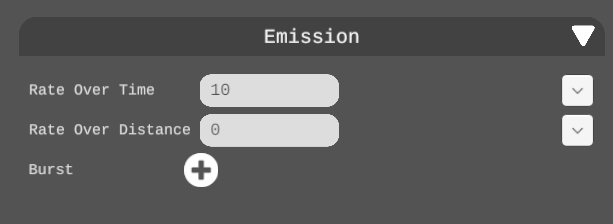
| Rate over Time: | The number of particles emitted per unit of time |
| Rate over Distance: | The number of particles emitted per unit of distance moved |
| Burst: | One spawn of particles. Add bursts to emit particles at certain times |
Shape
The shape property defines the space from which particles emerge – whether they burst from a point, spray in a cone, or emanate from a custom shape. There are 6 shapes to choose from:
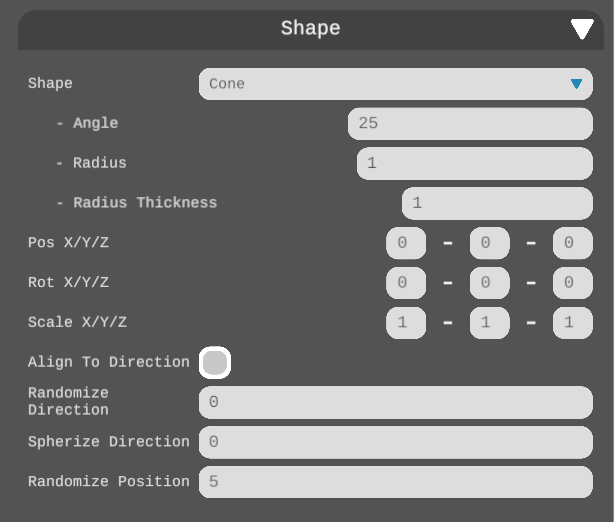
| Sphere | Emits particles in all directions uniformly from the center |
| SphereShell | Emits particles in all directions uniformly from the surface of the sphere |
| Hemisphere | Emits particles in all directions on one side of a plane from the center |
| HemisphereShell | Emits particles in all directions on one side of a plane from the surface of a hemisphere |
| Cone | Emits particles from the base of a cone |
| Box | Emits particles in the shape of a box |
Renderer
The renderer determines how individual particles appear, affecting their basic visual characteristics. There are 6 render modes to choose from:
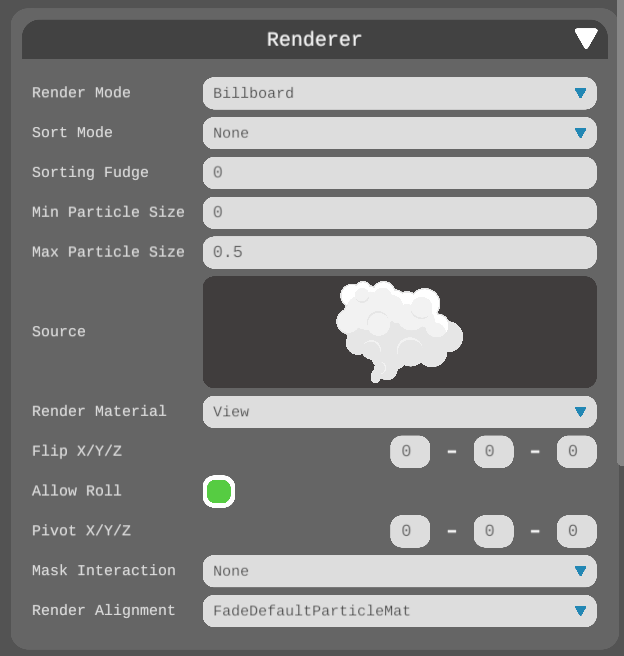
| Billboard | The particle faces one direction at all times |
| Stretch | The particle faces the camera at all times |
| HorizontalBillboard | The particle is parallel to the ground at all times |
| VerticalBillboard | The particle is upright, facing the camera at all times |
| Mesh | Renders particles from a 3D object |
| None | Disables rendering particles |
Velocity over life time
Velocity over lifetime influences how particles move through space, allowing for effects like gravity or wind.
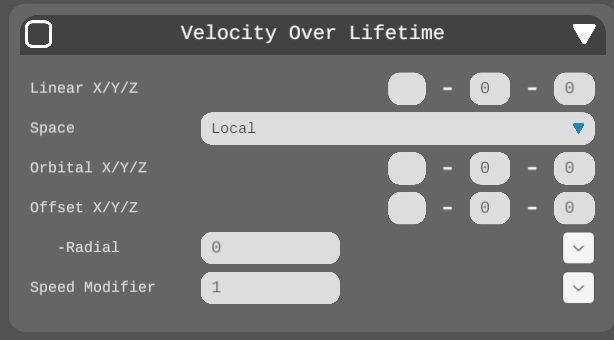
| Linear X, Y, Z | Linear velocity of particles in the respective axis |
| Space | Velocity in local or world space |
| Orbital X, Y, Z | Orbital velocity of particles in the respective axis |
| Offset X, Y, Z | Center of orbit in the respective axis |
| Radial | Radial velocity of particles |
| Speed Modifier | Multiply the speed of the particle by this value |
Force over life time
Force over lifetime allows you to apply dynamic forces to your particles as they exist, creating effects like gravity, wind, or magnetic attraction that can push, pull, or swirl your particles in various directions throughout their lifespan.

| X, Y, Z | Force applied to each particle in the respective axis |
| Inherit Mode | The space the force is applied to the particles |
Color over life time
Color over lifetime enables smooth transitions between different hues, perfect for creating ethereal glows or dynamic explosions.
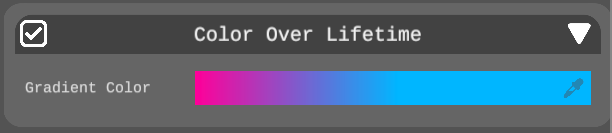
| Color | The color gradient of each particle over its lifetime |
Size over life time
Size over lifetime controls how particles grow or shrink as they age, while rotation over lifetime determines how they spin through their existence.
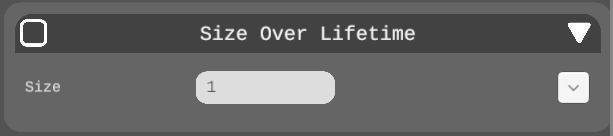
| Size | The size of each particle over its lifetime |
Rotation over life time
Rotation over lifetime controls the rotation of particles as they move.

| Angular Velocity | Rotation velocity in degrees per second |